
What it does
A writing assistant that stays out of your way
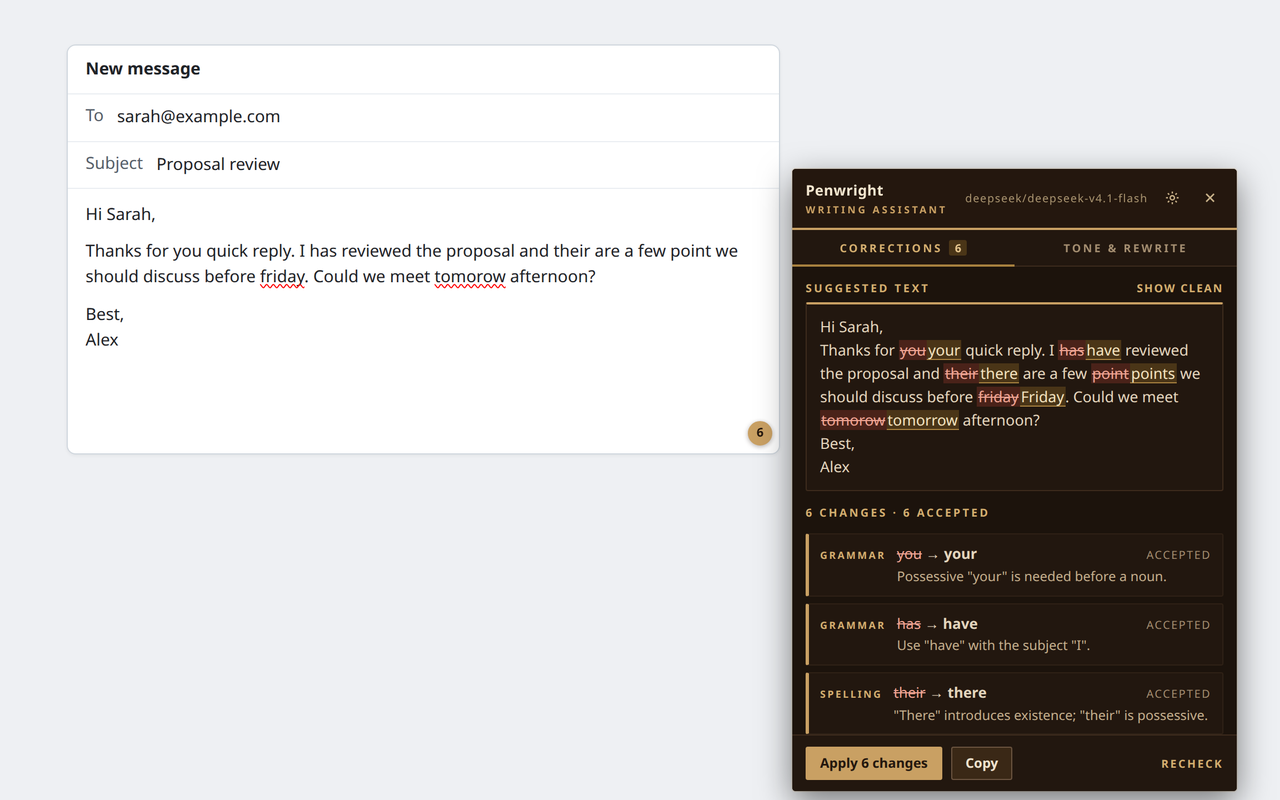
A small badge in the corner of the field shows when Penwright is checking and how many suggestions it found. Click it when you're ready.
Corrections
Fix grammar, spelling and punctuation
Edits are kept minimal: Penwright fixes mistakes without rephrasing your writing.
- Your whole text with every change marked, plus a card explaining each one.
- Click any change to skip it. Apply writes the rest back.
- Ctrl+Z still works and your formatting stays intact.
- American, British, Australian or Canadian English.
Tone & rewrite
Say it in the right tone
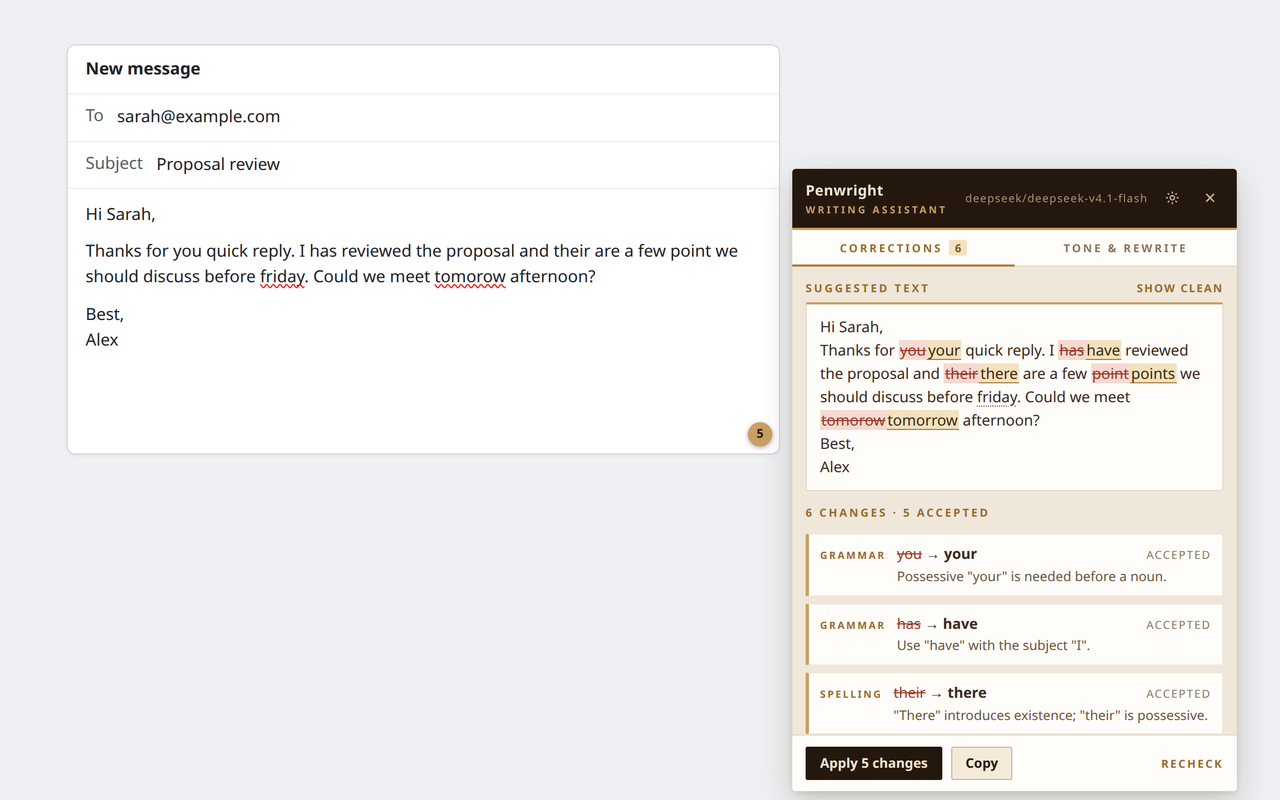
Pick a tone and a formality level, review the rewrite as a diff, then apply or copy it.
- Neutral
- Friendly
- Confident
- Professional
- Diplomatic
- Concise
- Persuasive
- Empathetic
Five steps from very casual to very formal.
Everywhere you write
Works in the fields you already use
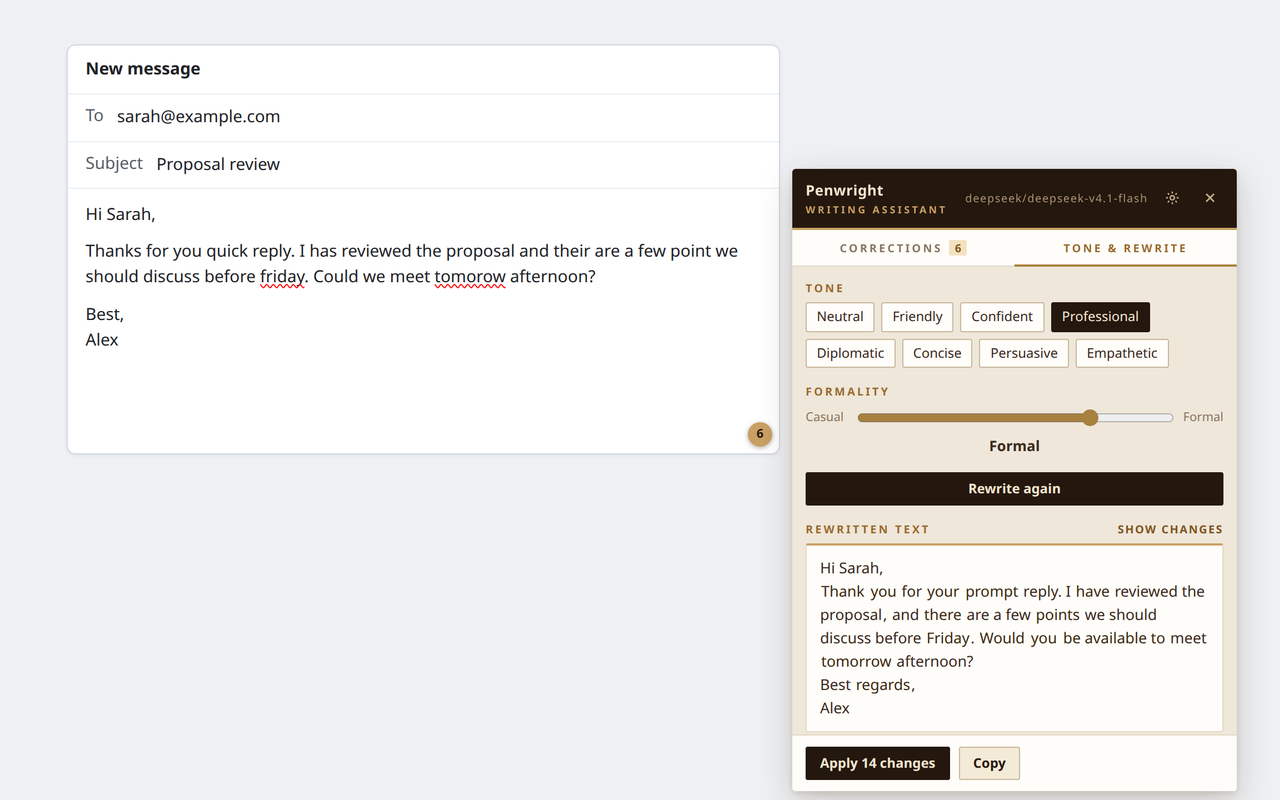
- Text areas, text inputs and rich-text editors, including fields inside iframes.
- Email, chat, social media, forms and documents.
- Turn it off for any site in one click, or check only when you click the badge.
- Skips password fields, code editors and fields that opt out.
- Espresso-and-gold theme that follows dark mode, or a GitHub-style light theme.
Getting started
Up and running in a minute
Install
Add Penwright to Chrome, Edge, Brave, Arc, Vivaldi, Opera or Firefox. The options page opens.
Pick a provider
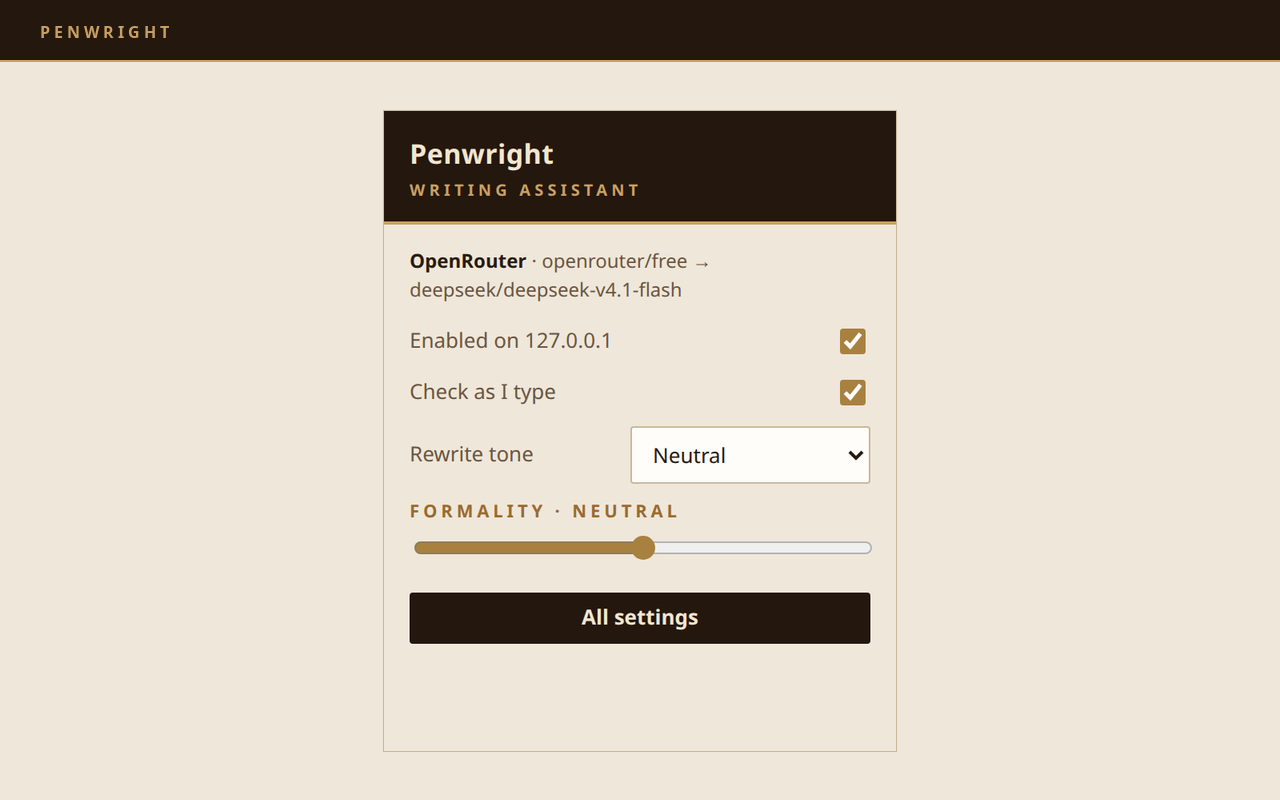
Paste your API key, or point it at a local server. A free OpenRouter key is enough to start.
Start typing
Press Test connection, then write in any text field. Penwright checks when you pause.
Your model, your key
Bring any OpenAI-compatible model
Each provider remembers its own URL, key and model, so you can switch without retyping. A fallback model answers when the main one fails or is rate limited.
| Provider | What you need |
|---|---|
| OpenRouter | An API key. Free models work out of the box, with a low-cost fallback when they're busy. |
| OpenAI | An API key. |
| DeepSeek | An API key. |
| Ollama | ollama serve and a pulled model. No OLLAMA_ORIGINS setup needed. |
| LM Studio | The local server started with a model loaded. |
| Unsloth Studio | unsloth studio and an sk-unsloth-… key. |
| Custom | Any OpenAI-compatible /v1 URL: vLLM, llama.cpp, LiteLLM, Groq, a company gateway… |
Private by design
Your text goes only where you send it
No middleman
No account and no Penwright server. Only the field you're editing is sent, and only to the endpoint you configure.
No tracking
No analytics, telemetry, advertising or crash reporting. Your data isn't sold or shared.
Stays on your device
Settings and API keys live in your browser's local storage. Run a local model and your text never leaves your computer.